The Academic All-Rounder: A Comprehensive Student Review of the iPad Air 4
In an educational landscape increasingly shaped by digital tools and remote learning, the choice of a personal computing device has become more critical than ever for students. Laptops, once the undisputed kings of student productivity, now face formidable competition from the versatile and increasingly powerful tablet. Among these, Apple’s iPad line has carved out a significant niche, and the iPad Air 4, released in late 2020, stands out as a particularly compelling option for the student demographic.
Often dubbed the "just right" iPad, the iPad Air 4 aimed to bridge the gap between the budget-friendly base iPad and the professional-grade iPad Pro. With its striking design refresh, powerful A14 Bionic chip, and compatibility with Apple’s premium accessories, it promised a blend of performance, portability, and productivity. But how well does it truly serve the diverse needs of a modern student, from high school to university, across various disciplines? This in-depth review will explore every facet of the iPad Air 4, assessing its value, capabilities, and limitations from a student’s perspective.
1. First Impressions & Design: A Premium Look for Academic Pursuits
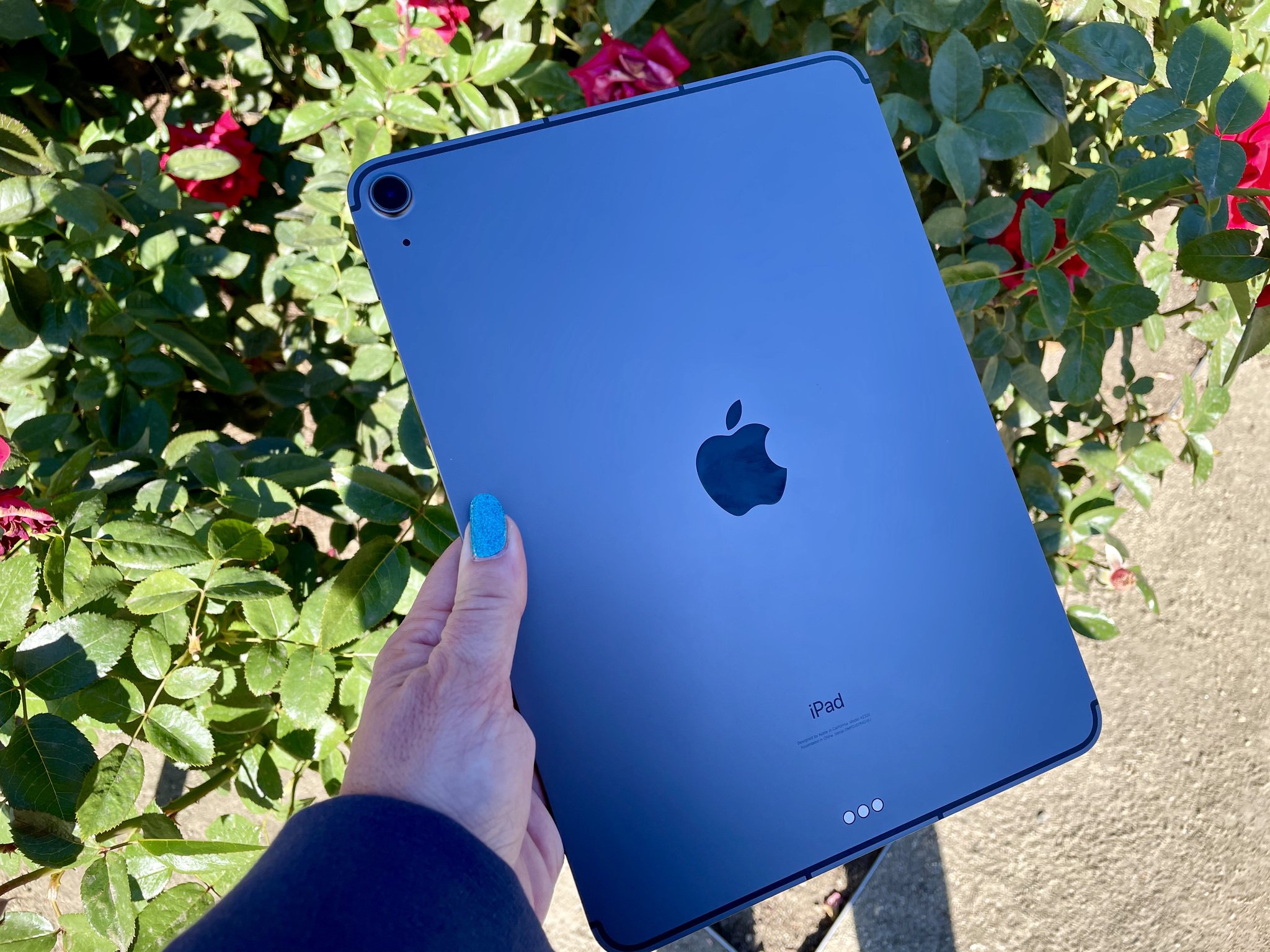
Upon its release, the iPad Air 4 immediately distinguished itself from its predecessors with a complete design overhaul, adopting the flat-edged aesthetic of the iPad Pro line. This change was more than just cosmetic; it significantly enhanced the device’s premium feel and practicality.
Aesthetics and Build Quality:
The Air 4 is undeniably sleek and modern. Available in a range of appealing colors – Space Gray, Silver, Rose Gold, Green, and Sky Blue – it offers a personal touch that resonates with a younger demographic. Its aluminum unibody construction feels robust and durable, capable of withstanding the rigors of daily student life, from being tossed into backpacks to surviving accidental bumps on campus. The rounded corners and flat edges make it comfortable to hold for extended periods, whether you’re reading an e-textbook in bed or sketching diagrams during a lecture.
Portability:
Weighing just over one pound (458 grams for the Wi-Fi model), the iPad Air 4 is incredibly light and portable. This is a huge advantage for students who are constantly on the move, shuttling between classes, libraries, coffee shops, and dorm rooms. Slipping it into a backpack or even a large tote bag is effortless, and its compact footprint means it won’t hog precious desk space in crowded lecture halls or study carrels. For many, it’s light enough to be carried all day without feeling like a burden, a significant improvement over even the lightest laptops.
Touch ID in the Power Button:
One of the most innovative design changes was the integration of Touch ID into the top power button. This was a clever engineering feat, allowing for a full-screen display without sacrificing the convenience and security of fingerprint authentication. For students, this means quick and secure access to their device, whether unlocking it, authenticating app purchases, or signing into secure applications. It’s intuitive, fast, and often more convenient than Face ID in situations where the tablet might be resting flat on a desk.
2. The Visual Gateway to Knowledge: Liquid Retina Display
The iPad Air 4 features a 10.9-inch Liquid Retina IPS LCD display, boasting a resolution of 2360 x 1640 pixels and a pixel density of 264 PPI. This isn’t just a list of technical specs; for students, it translates directly into a superior learning experience.
Clarity and Detail:
Text appears crisp and clear, making long reading sessions of academic papers, textbooks, or research articles much less strenuous on the eyes. High-resolution images, graphs, and complex diagrams in scientific papers are rendered with excellent detail, crucial for subjects like engineering, medicine, or architecture.
Color Accuracy and Brightness:
With P3 wide color support, the display offers vibrant and accurate colors, which is a boon for students in art, design, photography, or multimedia studies. Whether editing photos for a project, watching educational videos, or creating digital art, the colors pop. The display reaches up to 500 nits of brightness, making it perfectly usable indoors and surprisingly legible outdoors, even under bright conditions. This flexibility means students aren’t tied to specific lighting environments for their study.
True Tone Technology:
True Tone automatically adjusts the display’s color temperature to match the ambient light in the room. While seemingly a minor feature, it significantly reduces eye strain during extended study sessions. By making the screen appear more like paper under different lighting conditions, it contributes to a more natural and comfortable reading experience, which is invaluable for students who spend hours staring at a screen.
Laminated Display:
The fully laminated display means there’s no air gap between the glass and the LCD panel. This is critical for Apple Pencil users, as it makes drawing and writing feel more direct and precise, almost like writing on actual paper. The lack of parallax improves accuracy and makes detailed note-taking and sketching far more enjoyable.
3. The Brains of the Operation: A14 Bionic Chip Performance
At the heart of the iPad Air 4 lies the A14 Bionic chip, the same processor that powered the iPhone 12 series. This 5nm chip was a significant leap forward in mobile processing, and for a student, it provides a level of performance that is often overkill but always welcome.
Raw Power for Multitasking:
The A14 Bionic handles multiple demanding applications simultaneously without breaking a sweat. Students frequently juggle numerous tasks: researching on Safari with a dozen tabs open, taking notes in an app like GoodNotes or Notability, attending a Zoom lecture, and perhaps having a PDF textbook open in Split View. The Air 4 executes these scenarios flawlessly, with smooth transitions and no noticeable lag. This responsiveness is vital for maintaining flow and productivity during intense study sessions.
Handling Demanding Applications:
Beyond typical productivity tasks, the A14 Bionic empowers students to delve into more specialized and resource-intensive applications.
- STEM students: Can run complex simulations, use CAD viewers, or even perform light data analysis.
- Design/Arts students: Can comfortably use apps like Procreate for intricate digital art, Affinity Photo for serious image editing, or even rudimentary video editing in LumaFusion for class projects.
- Coding students: Can utilize various coding playgrounds and development tools available on iPadOS.
The processing power also future-proofs the device, ensuring it remains capable of running new, more demanding apps and operating system updates for many years to come, making it a sound long-term investment.
Gaming and Entertainment:
While primarily a productivity tool, the Air 4’s powerful chip also ensures excellent performance for gaming and media consumption during study breaks. Graphics-intensive games run smoothly, and high-resolution video streaming is a breeze, adding to its versatility as an all-round personal device.
4. The Pen is Mightier: Apple Pencil 2 Integration
For many students, especially those in STEM, arts, or any field requiring extensive note-taking and diagramming, the Apple Pencil is not just an accessory; it’s an indispensable tool. The iPad Air 4’s compatibility with the second-generation Apple Pencil is a major selling point.
Seamless Integration and Charging:
The Apple Pencil 2 magnetically attaches to the side of the iPad Air 4, where it automatically pairs and charges wirelessly. This is incredibly convenient compared to the first-generation Pencil’s awkward lightning port charging. It means the Pencil is always charged and ready when you need it, and you’re far less likely to lose it.
Natural Writing and Drawing Experience:
With incredibly low latency, tilt sensitivity, and pressure sensitivity, writing and drawing on the iPad Air 4 with the Apple Pencil feels remarkably natural. This is where the laminated display truly shines, making the tip feel like it’s directly on the "paper."
- Note-taking: Students can handwrite notes in popular apps like GoodNotes, Notability, or Apple Notes, often converting them to searchable text later. This active form of note-taking has been shown to improve retention.
- Annotating PDFs: Marking up lecture slides, research papers, or digital textbooks is a breeze, allowing for active engagement with course materials.
- Diagrams and Sketches: For subjects like engineering, biology, chemistry, or architecture, the ability to quickly sketch and label diagrams is invaluable.
- Creative Arts: Art and design students can leverage the Air 4 and Apple Pencil as a powerful digital canvas, replacing traditional sketchbooks and art supplies.
Double-Tap Gesture:
The double-tap gesture on the Pencil’s barrel allows for quick switching between tools (e.g., pen and eraser) in many apps, further streamlining the workflow and enhancing efficiency during lectures or study sessions.
5. Typing Your Way to Success: Keyboard Options
While touch input and the Apple Pencil excel for certain tasks, a physical keyboard remains essential for typing essays, coding, responding to emails, or extensive research. The iPad Air 4’s compatibility with Apple’s premium keyboards elevates its productivity potential.
Magic Keyboard:
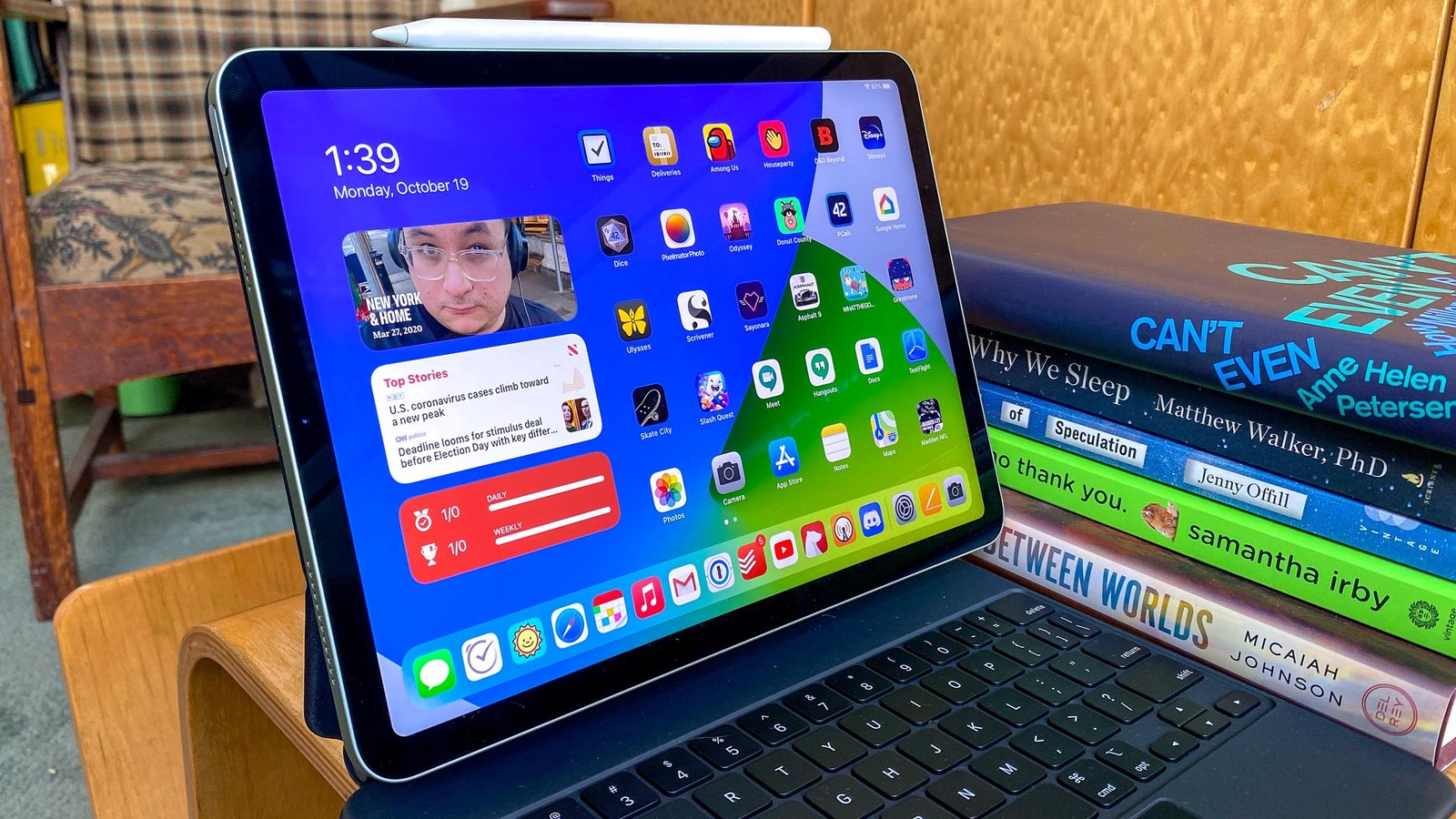
The Magic Keyboard for iPad Air (and Pro) transforms the tablet into a pseudo-laptop experience. It features a full-size backlit keyboard with scissor-mechanism keys that offer excellent travel and a satisfying tactile feel, making long typing sessions comfortable. The integrated trackpad, with its precise cursor control and multi-touch gestures, further blurs the line between tablet and laptop, allowing for more precise text selection, navigating spreadsheets, and general UI interaction. The floating cantilever design is aesthetically pleasing and provides adjustable viewing angles, perfect for different study environments. The pass-through USB-C port for charging the iPad is also a useful addition, freeing up the iPad’s own port for accessories.
Smart Keyboard Folio:
For students on a tighter budget or those who prioritize a lighter, more compact solution, the Smart Keyboard Folio is a good alternative. It’s thinner and lighter than the Magic Keyboard, offers two viewing angles, and provides a decent typing experience without the bulk or expense of the Magic Keyboard. However, it lacks backlighting and a trackpad.
The "Laptop Replacement" Debate:
For many students, especially those in humanities or business, an iPad Air 4 with a Magic Keyboard can genuinely replace a traditional laptop for most academic tasks. It handles word processing, presentations, spreadsheets, research, and communication effortlessly. However, for students requiring specialized desktop-only software (e.g., certain engineering CAD programs, advanced statistical analysis software, or specific coding IDEs), a full-fledged laptop or desktop will still be necessary. The Air 4 serves as an excellent companion device in such cases, handling all other tasks with ease.
6. The OS That Works For You: iPadOS and Student Productivity
The software experience on the iPad Air 4, powered by iPadOS, is arguably as crucial as the hardware. Apple has continually refined iPadOS to leverage the tablet’s unique form factor and touch-first interface, making it increasingly powerful for productivity.
Multitasking Capabilities:
iPadOS excels at multitasking, a core requirement for students.
- Split View: Allows two apps to run side-by-side, perfect for taking notes while viewing lecture slides, cross-referencing research papers, or comparing documents.
- Slide Over: Enables a third app to float over the main two, ideal for quick access to a calculator, messaging app, or dictionary without leaving your primary workspace.
- Shelf: A recent addition, the Shelf allows you to quickly switch between multiple instances of the same app (e.g., multiple Safari windows or Notes documents).
These features are intuitive and efficient, crucial for managing the information overload inherent in academic life.
Files App and Cloud Integration:
The Files app has evolved into a robust file manager, allowing students to organize documents, access cloud storage services (iCloud Drive, Google Drive, Dropbox, OneDrive), and manage external drives. This central hub for all academic materials simplifies organization and ensures access to files from anywhere.
Safari and Research:
Safari on iPadOS is a powerful browser, supporting desktop-class browsing, tab groups, and robust content blockers. These features are invaluable for research, allowing students to manage numerous research tabs efficiently, save articles for later, and focus on content without distractions.
App Ecosystem:
The sheer breadth and quality of apps available on the App Store are a massive advantage. From specialized academic apps for chemistry simulations, language learning, and mathematics, to ubiquitous productivity suites like Microsoft Office and Google Workspace, students will find high-quality tools for virtually any need. Many apps are optimized for touch and Pencil input, enhancing the learning experience.
7. Capturing and Connecting: Cameras and Audio
While not the primary reason to buy an iPad, the cameras and audio capabilities of the iPad Air 4 are more than sufficient for student needs.
Cameras:
The Air 4 features a 12MP wide camera on the back and a 7MP FaceTime HD camera on the front.
- Rear Camera: Excellent for scanning documents (using the built-in Document Scanner in Notes or third-party apps), taking quick photos of whiteboards, or capturing images for projects.
- Front Camera: Crucial for online classes, video calls with study groups, and virtual presentations. While not as advanced as some newer iPads (lacking Center Stage), it provides clear video and audio for remote interactions.
Audio:
The Air 4 boasts stereo speakers, providing a surprisingly rich and immersive audio experience, especially when held in landscape mode. This is great for watching lectures, educational videos, or unwinding with music or movies during study breaks. The five studio-quality microphones ensure clear audio input for video calls and voice recordings, making sure you’re heard clearly during online discussions.
8. Power Through Your Day: Battery Life
Battery life is a critical concern for students who spend long hours on campus without constant access to power outlets. The iPad Air 4 typically delivers up to 10 hours of web surfing or video playback on Wi-Fi, which translates well to real-world academic usage.
For most students, this means the iPad Air 4 can comfortably last a full day of classes, note-taking, research, and light media consumption on a single charge. You can attend lectures, work in the library, and participate in study groups without constantly hunting for an outlet. Of course, heavily demanding tasks like continuous video editing or graphics-intensive gaming will drain the battery faster, but for typical student workflows, it’s more than adequate. Charging is done via a USB-C port, allowing for universal compatibility with many laptop chargers and power banks, which is convenient.
9. Connectivity and Storage: Staying Connected, Storing Knowledge
Connectivity:
The iPad Air 4 supports Wi-Fi 6, providing faster and more reliable wireless connections, which is essential for students relying on campus Wi-Fi networks for research, online learning platforms, and video calls. There’s also an optional cellular model, offering internet access on the go without relying on Wi-Fi, a valuable feature for students who commute or frequently study off-campus.
Storage Options:
The Air 4 came in 64GB and 256GB storage configurations. For most students, the 64GB base model might feel restrictive very quickly, especially if you plan to download many textbooks, apps, lectures, or media files. A 256GB model is highly recommended for students, providing ample space for years of academic materials, personal files, and a robust app library without constant worry about running out of space. While cloud storage mitigates some of this, having local storage is still convenient and reliable.
10. The Financial Equation: Price, Value, and Alternatives
This is often the make-or-break factor for students. When new, the iPad Air 4 started at $599 (64GB Wi-Fi), which was a significant investment, especially when factoring in essential accessories.
Total Cost of Ownership:
For a truly productive student setup, you’re looking at:
- iPad Air 4 (256GB Wi-Fi): ~$749 (initial retail)
- Apple Pencil 2: $129
- Magic Keyboard: $299 (a substantial cost)
- Total: ~$1177
This puts the total cost squarely in laptop territory, and often more expensive than many capable Chromebooks or even entry-level Windows laptops. However, it’s crucial to look beyond the sticker price and consider the value proposition.
Value Proposition for Students:
- Longevity: Apple devices are known for their long software support and robust build quality, meaning the Air 4 can easily last through an entire degree program (4-5+ years) without feeling outdated. This reduces the need for frequent upgrades.
- Ecosystem Integration: For students already invested in the Apple ecosystem (iPhone, Mac), the seamless integration (Handoff, Universal Clipboard, AirDrop) adds significant convenience and productivity.
- Versatility: The Air 4’s ability to transform from a note-taking slate to a laptop-like workstation to an entertainment device is unmatched by traditional laptops or simpler tablets.
- Resale Value: iPads generally hold their resale value better than many Android tablets or Windows laptops, recouping some of the initial investment upon graduation.
- Student Discounts: Apple often offers educational discounts for students, which can slightly reduce the upfront cost.
Compared to Alternatives:
- Base iPad (9th/10th Gen): Significantly cheaper, but less powerful, older design, and uses the Apple Pencil 1 (less convenient charging). Good for basic note-taking and media, but the Air 4 offers a much better long-term experience for serious academic work.
- iPad Pro: More powerful (M-series chip), ProMotion display (120Hz), better cameras (Center Stage), Face ID. However, it’s considerably more expensive, and the Air 4’s A14 Bionic is already more than enough for most student tasks, making the Pro an overkill for many.
- Android Tablets: While some Android tablets offer compelling hardware at competitive prices, the app ecosystem for productivity and education on iPadOS is generally more mature and optimized for tablet use.
- Chromebooks: Excellent for basic web-based tasks and affordability. However, they lack the robust app ecosystem, touch capabilities, and Apple Pencil integration that make the iPad Air 4 so versatile for note-taking and creative work.
- Laptops (Windows/Mac): Still superior for specialized desktop software, extensive coding, or heavy-duty video editing. However, they lack the portability, instant-on nature, and pen input versatility of the iPad.
For students who value a premium experience, excellent performance, a fantastic note-taking and drawing experience, and a high degree of portability, the iPad Air 4 (even a refurbished or used one now) offers a compelling blend of features for its price point.
11. The Student’s Verdict: Pros and Cons
After extensive use and evaluation, here’s a summary of the iPad Air 4’s strengths and weaknesses from a student’s perspective:
Pros:
- Premium, Durable Design: Looks and feels high-end, built to last.
- Exceptional Portability: Lightweight and slim, easy to carry everywhere.
- Vibrant Liquid Retina Display: Excellent for reading, viewing content, and creative work; True Tone reduces eye strain.
- Powerful A14 Bionic Chip: Handles demanding multitasking and applications with ease, ensuring longevity.
- Apple Pencil 2 Support: Transforms note-taking, annotation, and digital art; magnetic charging is incredibly convenient.
- Magic Keyboard Compatibility: Offers a near-laptop typing and trackpad experience.
- Robust iPadOS: Excellent multitasking, file management, and a rich app ecosystem.
- All-Day Battery Life: Reliably gets through a full day of academic work.
- USB-C Port: Universal charging and accessory compatibility.
- Touch ID in Power Button: Convenient and secure authentication.
Cons:
- High Total Cost: The device itself is an investment, but essential accessories (Pencil, Keyboard) significantly increase the overall price.
- Base Storage (64GB) May Be Insufficient: Students accumulate a lot of data; 256GB is highly recommended but costs more.
- No ProMotion Display: Lacks the smoother 120Hz refresh rate of the Pro models, which some might notice (though not a deal-breaker for most).
- No Face ID: Touch ID is good, but Face ID can be more convenient in some scenarios.
- Still Not a Full Laptop Replacement for All: Lacks compatibility with certain desktop-only software critical for specialized fields.
- No Included Accessories: Pencil and keyboard are separate purchases.
12. Who is the iPad Air 4 For?
The iPad Air 4 is particularly well-suited for:
- Arts & Humanities Students: Excellent for reading, research, writing essays, consuming media, and creative expression with the Apple Pencil.
- STEM Students (with caveats): Superb for note-taking, diagramming, PDF annotation, and accessing online resources. May still need a laptop for specialized software that isn’t available on iPadOS.
- Students who Value Portability: Those who move between classes, libraries, and home frequently will appreciate its lightweight design.
- Students who Prioritize Pen Input: If handwriting notes, sketching, or annotating documents is crucial, the Air 4 with Apple Pencil 2 is a top-tier choice.
- Students Seeking a Balanced Device: If you want more power and a better design than the base iPad, but don’t need the overkill features (and higher price) of the iPad Pro.
13. Conclusion: The Student’s "Sweet Spot" Still Holds Strong
Even a few years after its release, the iPad Air 4 (whether new, refurbished, or second-hand) remains an incredibly strong contender for the title of "best student tablet." It perfectly encapsulates the "just right" philosophy, offering a premium design, powerful performance, and essential accessory compatibility without pushing into the often unnecessary extravagance of the Pro line.
For students who are willing to invest in their academic toolkit, the iPad Air 4 provides an unparalleled blend of versatility, portability, and productivity. It empowers active learning through its exceptional note-taking capabilities, streamlines workflow with robust multitasking, and serves as a reliable hub for research and communication. While the initial investment can be substantial, particularly with the addition of the Apple Pencil and Magic Keyboard, the long-term value, durability, and the sheer breadth of what it enables for a student make the iPad Air 4 a highly recommended academic companion. It’s not just a tablet; it’s a dynamic learning machine, ready to tackle the demands of modern education head-on.