The Canvas Reimagined: Why the iPad Air 4 Still Stands Strong for Digital Drawing
In the vibrant world of digital art, the tools we choose can profoundly shape our creative journey. From professional illustrators to aspiring hobbyists, the demand for portable, powerful, and intuitive devices for digital drawing has never been higher. While newer, shinier models often steal the spotlight, the Apple iPad Air 4, released in late 2020, quietly carved out a reputation as an unparalleled sweet spot for artists.
Even years after its initial launch, the iPad Air 4 remains a remarkably potent and economically sensible choice for digital drawing. It strikes a near-perfect balance between the premium features of the Pro line and the accessibility of the entry-level iPads, making it an enduring champion for anyone looking to translate their imagination onto a digital canvas. This comprehensive guide will delve deep into why the iPad Air 4, paired with the Apple Pencil 2, continues to be a formidable contender in the digital art arena.
The Heart of the Canvas: Display and Apple Pencil 2 Integration
At the core of any exceptional digital drawing experience lies the display and the precision input device. The iPad Air 4 excels in both, providing an experience that feels remarkably natural and responsive.
The Liquid Retina Display: A Window to Your Art
The iPad Air 4 features a stunning 10.9-inch Liquid Retina display. While not an OLED like the latest Pro models, its IPS LCD panel is of the highest quality, offering a delightful visual experience for artists. Here’s why it matters:
- True-to-Life Colors (P3 Wide Color): The display supports the P3 wide color gamut, meaning it can reproduce a broader spectrum of colors than standard sRGB displays. For artists, this is crucial. It ensures that the colors you see on screen are accurate and vibrant, closely matching what your final printed or published artwork will look like. This color accuracy is vital for professional work where precise color matching is paramount.
- Brightness and Clarity: With a peak brightness of 500 nits, the display is bright enough for most indoor and outdoor conditions, though direct sunlight can still be challenging. The high resolution (2360 x 1640 pixels at 264 pixels per inch) ensures that lines are sharp, details are crisp, and text is clear, making your artwork look pristine.
- True Tone Technology: This clever feature automatically adjusts the white balance of the display to match the ambient light in your environment. While subtle, it reduces eye strain during long drawing sessions and ensures that your colors appear consistent, regardless of the lighting conditions around you. This means your whites look white, not yellowish or bluish, making color perception more reliable.
- Fully Laminated Display: The Game Changer for Drawing: Perhaps the single most critical display feature for digital artists on the iPad Air 4 is its fully laminated display. Unlike the non-laminated screen of the entry-level iPads, the Air 4’s display has no air gap between the LCD panel and the cover glass. This eliminates the "parallax effect" – the slight gap and noticeable distance between the tip of your Apple Pencil and the digital line appearing on the screen. With a laminated display, it feels like you’re drawing directly on the pixels, making the experience incredibly intuitive and precise, akin to drawing on paper. This reduced visual disconnect significantly enhances accuracy and provides a more immersive drawing experience.
The Apple Pencil 2: The Artist’s Essential Companion
The iPad Air 4’s compatibility with the second-generation Apple Pencil is a monumental advantage. This isn’t just an accessory; it’s an extension of the artist’s hand.
- Magnetic Attachment and Wireless Charging: The Apple Pencil 2 magnetically snaps onto the side of the iPad Air 4 for convenient storage, pairing, and, most importantly, wireless charging. This eliminates the awkward charging method of the first-gen Pencil (sticking out of the Lightning port) and ensures your Pencil is always charged and ready when inspiration strikes. This seamless integration means less friction in your workflow.
- Pressure Sensitivity: The Apple Pencil 2 boasts incredibly precise pressure sensitivity. This allows artists to vary line thickness, opacity, and texture simply by changing the pressure they apply, mimicking traditional art tools. A light touch creates delicate lines, while firm pressure yields bold, opaque strokes, providing immense expressive control.
- Tilt Sensitivity: In addition to pressure, the Pencil detects tilt. This enables shading effects, broad strokes, and other artistic techniques, much like using the side of a graphite pencil or charcoal stick. It adds another dimension of realism to your digital art.
- Low Latency: The latency (the delay between your Pencil movement and the line appearing on screen) is incredibly low, making it feel almost instantaneous. This responsiveness is vital for fluid drawing and sketching, preventing any frustrating lag that can disrupt your creative flow.
- Double-Tap Gesture: A subtle yet powerful feature, the Apple Pencil 2 allows for a customizable double-tap gesture on its barrel. By default, this switches between the current tool and the eraser in many apps, or between brush and smudge. This quick, intuitive action saves valuable time and keeps your focus on the canvas, eliminating the need to constantly reach for on-screen buttons.
Together, the iPad Air 4’s laminated Liquid Retina display and the sophisticated Apple Pencil 2 create a drawing experience that is both highly precise and wonderfully natural, making it an ideal platform for a wide range of artistic endeavors.
Powering Creativity: The A14 Bionic Chip
Under the hood, the iPad Air 4 is powered by Apple’s A14 Bionic chip. While it has been succeeded by the M-series chips in newer iPads, the A14 Bionic remains an exceptionally capable and efficient processor, especially for creative tasks like digital drawing.
- Blazing Fast Performance: The A14 Bionic, with its 6-core CPU and 4-core GPU, delivers incredibly fast performance. For digital artists, this translates to:
- Smooth Brush Strokes: Even with large, complex brushes and high-resolution canvases, the A14 ensures that your brush strokes appear instantly and smoothly, without lag or stutter.
- Rapid Layer Management: Opening, closing, merging, and manipulating layers in demanding apps like Procreate or Clip Studio Paint is quick and seamless.
- Efficient Filter Application: Applying complex filters, adjustments, or effects to your artwork is done with remarkable speed, allowing for quick experimentation and iteration.
- Seamless App Switching: Multitasking between drawing apps, reference images, or web browsers is fluid, ensuring your creative workflow isn’t interrupted.
- Advanced Neural Engine: The A14 Bionic includes a 16-core Neural Engine, which accelerates machine learning tasks. While perhaps less immediately apparent in basic drawing, this powers features like:
- Smart Selection Tools: AI-powered selection tools that can accurately identify and select complex objects or subjects within your artwork.
- Enhanced Image Processing: Features in apps like Adobe Fresco or Photoshop that use AI for automatic enhancements, content-aware fill, or upscaling.
- Scribble and Handwriting Recognition: The Neural Engine also contributes to the excellent performance of features like Scribble, which converts handwritten notes into typed text, useful for annotating sketches or storyboarding.
- Optimized for iPadOS: The A14 Bionic is meticulously optimized to work hand-in-hand with iPadOS. This synergy ensures that software and hardware perform in perfect harmony, providing a stable and efficient platform for even the most resource-intensive drawing applications.
For the vast majority of digital artists, the A14 Bionic chip in the iPad Air 4 offers more than enough power to handle virtually any drawing task, from quick sketches to intricate illustrations, without breaking a sweat.
Ergonomics and Design: A Joy to Hold
The iPad Air 4 adopted the modern, flat-edged design language previously introduced with the iPad Pro. This design is not merely aesthetic; it significantly enhances the user experience for artists.
- Flat Edges for Apple Pencil 2: The flat edges are crucial for the magnetic attachment and charging of the Apple Pencil 2, making it an integral part of the device rather than a separate accessory.
- Portability and Comfort: Weighing just over a pound (458 grams for Wi-Fi model), the iPad Air 4 is remarkably light and comfortable to hold for extended drawing sessions. Its slim profile (6.1 mm) makes it easy to carry in a bag, enabling "art on the go" wherever inspiration strikes.
- Touch ID in the Power Button: While newer iPads have Face ID, the iPad Air 4 integrates Touch ID directly into the top power button. This is a brilliant ergonomic choice for artists. When you’re drawing, your hand is often already near the top of the device, making unlocking quick and intuitive without needing to reposition your grip.
- USB-C Connectivity: The shift from Lightning to USB-C is a significant upgrade for artists. USB-C is a universal standard, allowing for:
- Faster Data Transfer: Quickly transfer large art files to external drives or computers.
- External Monitor Support: Connect your iPad Air 4 to an external display (though mirroring for now, not true extended desktop for most apps), useful for reviewing your work on a larger screen or for presentations.
- Wider Accessory Compatibility: Connect a myriad of USB-C hubs, card readers, and other peripherals, expanding the iPad’s utility as a creative workstation.
The thoughtful design of the iPad Air 4 makes it a truly artist-friendly device, prioritizing both comfort and connectivity.
The Software Palette: iPadOS and Essential Drawing Applications
Hardware is only as good as the software it runs. The iPad Air 4, benefiting from Apple’s robust iPadOS and a thriving ecosystem of creative applications, transforms into a versatile digital art studio.
iPadOS: An Intuitive Creative Environment
iPadOS provides a seamless and intuitive environment for artists:
- Multitasking Features:
- Split View: Work on your artwork in one app (e.g., Procreate) while simultaneously referencing an image, a tutorial, or a mood board in another app (e.g., Safari, Photos) side-by-side.
- Slide Over: Keep a third app floating as a smaller window, perfect for quickly jotting down notes, checking messages, or accessing a calculator without leaving your main canvas.
- Shelf & App Library: Efficiently manage open apps and find new ones, maintaining a clean and organized workspace.
- Scribble: For artists who also take notes or brainstorm, Scribble allows you to write directly into any text field with the Apple Pencil, and it instantly converts your handwriting to typed text. This is fantastic for adding quick annotations, labeling layers, or typing out descriptions without putting the Pencil down.
- System-Wide Pencil Gestures: iPadOS incorporates various Pencil gestures, like swiping up from a corner for a quick screenshot and markup, making it easy to capture and annotate your progress.
The Essential Drawing Apps: Unlocking Creative Potential
The App Store boasts an incredible array of powerful drawing applications, many of which are optimized to take full advantage of the iPad Air 4 and Apple Pencil 2.
- Procreate: (The undisputed king for raster art)
- Why it’s essential: Procreate is almost synonymous with iPad digital art. It’s incredibly intuitive for beginners yet powerful enough for professionals. Its strength lies in its fluid brush engine, massive brush library (and ability to create/import custom brushes), robust layer system, animation assist, and incredibly responsive interface.
- How it leverages Air 4: The A14 Bionic handles Procreate’s demanding brush engine with ease, even on large canvases with many layers. The laminated display and Apple Pencil 2 ensure pinpoint accuracy and natural brush feel, while the double-tap gesture for undo/redo or brush/eraser switching is invaluable for maintaining flow. The Air 4’s storage allows for numerous high-resolution canvases.
- Key Features: Over 200 customizable brushes, advanced blending modes, masks, clipping masks, reference companion, perspective guides, alpha lock, QuickShape, streamline, and more.
- Affinity Photo / Affinity Designer: (Desktop-class power for raster and vector)
- Why they’re essential: Serif’s Affinity suite offers professional-grade photo editing (Photo) and vector design (Designer) tools, mirroring their desktop counterparts. They are one-time purchases, making them excellent value. Affinity Photo is a Photoshop alternative, while Designer rivals Illustrator.
- How they leverage Air 4: The A14 Bionic handles the complex algorithms and large file sizes typical of professional photo editing and vector graphics. The Air 4’s RAM is sufficient for most projects, and the USB-C port is perfect for importing files from cameras or external drives. The Apple Pencil 2 provides pixel-perfect selection and drawing in both apps.
- Key Features: Non-destructive editing, full RAW development, advanced layer control, blend modes, vector tools (nodes, curves, boolean operations), artboards, symbols, text on a path, and comprehensive export options.
- Clip Studio Paint: (The go-to for comics, manga, and animation)
- Why it’s essential: CSP offers a comprehensive set of tools specifically designed for illustrators, comic artists, and animators. It features incredibly natural brush strokes, sophisticated perspective rulers, comic panel creation tools, and full animation capabilities. It’s a subscription-based app but offers a free trial.
- How it leverages Air 4: The Air 4’s processing power ensures that even complex comic pages with multiple characters, backgrounds, and speech bubbles render smoothly. Its animation features run fluidly. The laminated display and Apple Pencil 2 are critical for the detailed line art and inking that CSP excels at.
- Key Features: Dedicated comic and manga tools (panel borders, speech bubbles, screentones), 3D model import for pose referencing, robust animation timeline, vast brush customization, vector layers, and cloud synchronization.
- Adobe Fresco: (Vector and raster hybrid, great for expressive painting)
- Why it’s essential: Fresco combines powerful raster brushes (including stunning live watercolor and oil brushes that react realistically) with vector capabilities, allowing artists to switch seamlessly between pixel and scalable artwork. It’s part of the Adobe Creative Cloud subscription.
- How it leverages Air 4: The A14 Bionic effortlessly renders Fresco’s complex live brushes, making them feel incredibly natural and responsive. The Apple Pencil 2’s pressure and tilt sensitivity are fully utilized to bring these brushes to life.
- Key Features: Live brushes (watercolor, oil), vector brushes, pixel brushes, cloud documents, multi-layer support, and integration with other Adobe apps like Photoshop.
- Concepts: (Infinite canvas for sketching and vector drawing)
- Why it’s essential: Concepts offers an infinite canvas, making it perfect for brainstorming, mind mapping, architectural sketching, and detailed vector illustrations. It’s highly flexible and precise.
- How it leverages Air 4: The Air 4’s responsiveness and the Apple Pencil 2’s precision make drawing on the infinite canvas a joy. The A14 Bionic handles the complexity of vector paths and numerous elements without slowdown.
- Key Features: Infinite canvas, vector-based strokes, customizable tools, precise measurement tools, layers, shape guides, and a robust color picker.
- Other Notable Mentions:
- Adobe Photoshop for iPad: A powerful, though still evolving, mobile version of the industry-standard image editor, great for retouching and composite work.
- Adobe Illustrator for iPad: A touch-first vector drawing app for creating scalable graphics and logos.
- Notability / Goodnotes: While not dedicated drawing apps, they offer excellent sketching tools for note-taking, annotating PDFs, or quick ideation.
The breadth and depth of creative applications available on iPadOS ensure that artists using the iPad Air 4 have access to professional-grade tools for virtually any artistic style or workflow.
Enhancing the Workflow: Essential Accessories
While the iPad Air 4 and Apple Pencil 2 form the core, a few accessories can further enhance the digital drawing experience.
- Screen Protectors (e.g., Paperlike): Many artists prefer a screen protector that adds a subtle texture to the glass, mimicking the feel of drawing on paper. Brands like Paperlike, Bellemond, or cheaper alternatives reduce glare and provide a more tactile experience, enhancing control and reducing the slipperiness of glass.
- Stands: A good stand that allows for various drawing angles (especially a low, comfortable incline) is invaluable for long sessions, reducing neck and wrist strain.
- USB-C Hubs: A multi-port USB-C hub can expand the Air 4’s connectivity, allowing you to connect external hard drives, USB thumb drives, SD card readers (for camera imports), and even external monitors simultaneously. This turns your iPad into a more capable workstation.
- Cleaning Cloth: Keeping your screen clean is crucial for clarity and preventing smudges from interfering with your drawing.
The Digital Drawing Experience: Seamless and Intuitive
Bringing all these elements together, the iPad Air 4 offers a digital drawing experience that is genuinely seamless and intuitive.
- Zero to Art in Seconds: The instant-on nature of the iPad, combined with the always-charged Apple Pencil 2, means you can capture fleeting ideas the moment they strike. There’s no boot-up time, no pairing hassle; just pick up and draw.
- Natural Feel: The combination of the laminated display, low-latency Pencil, and pressure/tilt sensitivity makes drawing feel remarkably natural. It truly feels like you’re creating directly on the surface, not through a proxy.
- Uninterrupted Flow: The powerful A14 Bionic chip ensures that apps run smoothly, brushes respond instantly, and multitasking is fluid. This minimizes technical friction, allowing artists to stay immersed in their creative process.
- Portability: The Air 4’s lightweight design means your studio can go wherever you do. Sketch on a bus, paint in a coffee shop, or illustrate by the beach – the world becomes your inspiration.
The Verdict: Is the iPad Air 4 Still a Drawing Powerhouse?
Absolutely. Even in 2024 and beyond, the iPad Air 4 holds its ground as an exceptional device for digital drawing.
Who is it ideal for?
- Art Students: Offers professional-grade tools without the higher cost of a Pro model.
- Hobbyists: Provides an incredibly satisfying and capable platform for exploring digital art.
- Professional Artists on a Budget: For those who need a robust drawing tablet but don’t require the absolute bleeding edge performance or features (like ProMotion or Face ID) of the latest Pro, especially if found refurbished or used.
- Artists Transitioning from Traditional Mediums: The natural feel of the Pencil on the laminated screen makes the transition smoother.
- Digital Nomads: Its portability and powerful performance make it an excellent choice for artists who work on the go.
Why choose it over newer models or older ones?
- Over entry-level iPads: The Air 4 offers the crucial laminated display and Apple Pencil 2 support, which are game-changers for drawing precision and feel. The A14 chip is also significantly more powerful than the chips in the base iPads.
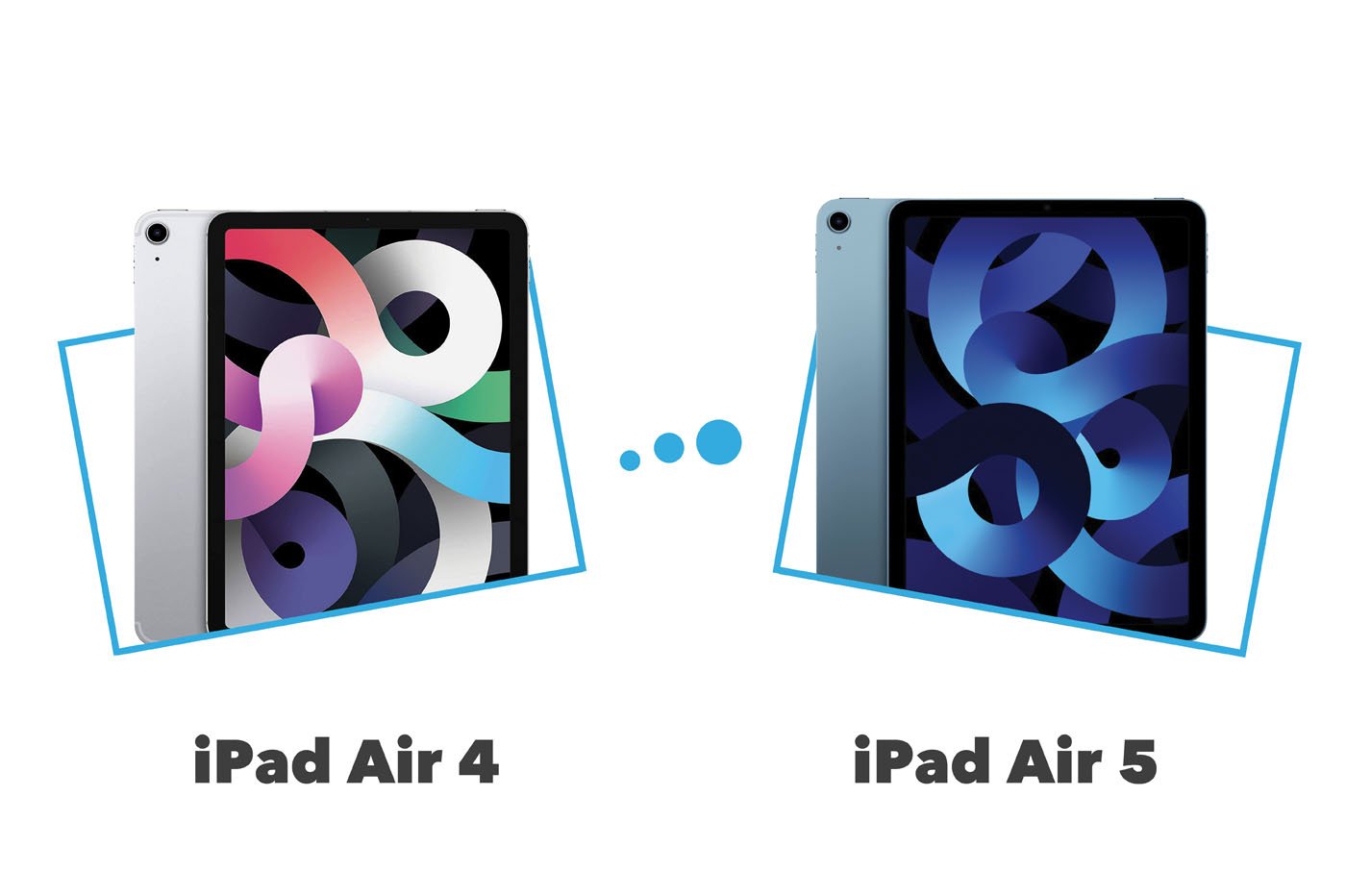
- Over iPad Pro (older/newer): While the Pro offers ProMotion (120Hz refresh rate), potentially more RAM, and M-series chips, for many artists, the Air 4’s 60Hz display is perfectly adequate, and the A14 Bionic is more than capable of handling most professional drawing tasks. The price difference often makes the Air 4 a much more sensible investment without sacrificing much of the core drawing experience. The iPad Air 5 with the M1 chip offers more raw power, but for many drawing workflows, the A14 is already overkill, making the Air 4 a better value proposition if found at a good price.
Looking Ahead: Longevity and Value
The iPad Air 4 is built with Apple’s typical high-quality standards, ensuring durability. Furthermore, Apple’s long-term software support means it will continue to receive iPadOS updates for several years, ensuring compatibility with the latest app versions and features. The A14 Bionic chip is robust enough that it won’t feel slow for drawing tasks anytime soon.
In conclusion, the iPad Air 4 for digital drawing is not just a capable device; it’s a testament to thoughtful engineering that prioritizes the artist’s needs. Its exquisite Liquid Retina display, seamless integration with the Apple Pencil 2, powerful A14 Bionic chip, and a rich ecosystem of creative apps combine to deliver an unparalleled drawing experience. For anyone seeking to unleash their artistic potential in the digital realm, the iPad Air 4 remains a smart, powerful, and deeply satisfying choice, proving that true creative power isn’t always about the newest model, but about the harmonious balance of features that empower your imagination.