
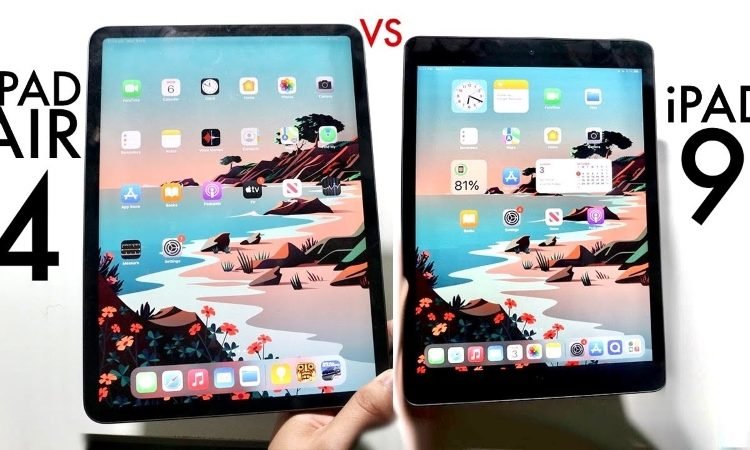
The Unsung Hero of Mobile Filmmaking: A Deep Dive into the iPad Air 4 for Video Editing
In an era where content creation is king, the tools we use to bring our visions to life are constantly evolving. The lines between professional and portable, desktop and mobile, are blurring at an unprecedented rate. Among the devices leading this charge, Apple’s iPad has carved out a unique niche, proving itself to be far more than just a consumption device. While the iPad Pro often hogs the spotlight for its top-tier specifications, the iPad Air 4, released in late 2020, quietly emerged as a formidable contender for serious creative work, particularly in the demanding field of video editing.
This comprehensive article will explore the iPad Air 4’s capabilities as a video editing powerhouse, dissecting its hardware, software ecosystem, workflow efficiencies, and limitations, ultimately determining who this device truly serves in the dynamic landscape of mobile filmmaking.
Introduction: Redefining the Portable Studio
The concept of editing a high-quality video project on a tablet seemed like a distant dream just a few years ago. Resource-intensive tasks like rendering, color grading, and handling multiple video tracks were exclusively the domain of powerful desktop computers or high-end laptops. However, with the advent of Apple’s custom silicon, specifically the A14 Bionic chip found in the iPad Air 4, this paradigm has shifted dramatically.
The iPad Air 4 represents a sweet spot in Apple’s tablet lineup: it offers near-Pro performance at a more accessible price point, wrapped in a sleek, modern design that borrows heavily from its premium siblings. For aspiring YouTubers, mobile journalists, social media content creators, and even seasoned filmmakers needing a nimble on-the-go solution, the iPad Air 4 presents a compelling proposition. But can it truly stand up to the rigors of video editing, a task known for pushing even the most robust machines to their limits? Let’s delve deeper.
The Powerhouse Within: A Deep Dive into the A14 Bionic
At the heart of the iPad Air 4’s capabilities lies the A14 Bionic chip. This System-on-a-Chip (SoC) was a marvel of engineering at its release, being the first chip based on a 5-nanometer process technology. This translates to more transistors packed into a smaller space, leading to significant improvements in both performance and power efficiency.
-
CPU Performance: The A14 Bionic features a 6-core CPU, comprising two high-performance cores and four high-efficiency cores. For video editing, this translates directly to faster processing of tasks like video decoding and encoding, applying effects, and managing complex timelines. When scrubbing through 4K footage, rendering previews, or exporting the final cut, the CPU is working tirelessly to ensure a smooth experience. While not quite matching the multi-core prowess of desktop processors, the A14’s single-core performance is exceptional, which is crucial for many video editing operations.
-
GPU Performance: Alongside the CPU is a 4-core GPU. The graphics processing unit is vital for real-time effects, transitions, color grading, and rendering high-resolution video streams. The A14’s GPU is remarkably powerful for a mobile chip, allowing for fluid playback of multiple 4K video tracks simultaneously in compatible applications. This means less waiting for renders and more time spent on creative decisions. Complex visual effects, overlays, and intricate color corrections are handled with surprising agility.
-
Neural Engine: The 16-core Neural Engine is perhaps the unsung hero, specializing in machine learning tasks. While not directly involved in basic video rendering, its capabilities can enhance future video editing workflows. Features like intelligent object tracking, automatic scene detection, advanced noise reduction, and smart upscaling could increasingly leverage the Neural Engine, making the editing process more automated and efficient. Apps like LumaFusion and DaVinci Resolve are already beginning to tap into this potential for features like facial recognition or smart selections.
In essence, the A14 Bionic provides a highly optimized and integrated architecture that allows the iPad Air 4 to punch significantly above its weight class. It’s not just about raw power; it’s about how Apple has designed the chip to work seamlessly with iPadOS and video editing applications, ensuring that every ounce of performance is leveraged efficiently.
Visual Fidelity: The Liquid Retina Display
For video editing, the display is as crucial as the processing power. The iPad Air 4 features a 10.9-inch Liquid Retina display with a resolution of 2360 x 1640 pixels, resulting in a pixel density of 264 pixels per inch (ppi). More importantly, it boasts P3 wide color support and True Tone technology.
-
P3 Wide Color: This is a professional-grade color space that allows the display to render a much broader spectrum of colors than standard sRGB displays. For video editors, this is paramount for accurate color grading and ensuring that the final output looks precisely as intended. Subtle nuances in skin tones, vibrant landscapes, and detailed shadows can be accurately represented, preventing unpleasant surprises when the video is viewed on other P3-compatible screens.
-
True Tone: While often seen as a comfort feature, True Tone adjusts the display’s white balance to match the ambient light in your environment. While not ideal for critical color grading where a neutral white point is desired, it provides a more natural viewing experience for general editing and review, reducing eye strain during long sessions. For final color passes, disabling True Tone is recommended.
-
Brightness and Clarity: With 500 nits of brightness, the display is vibrant enough for most indoor and even some outdoor editing scenarios. The laminated display minimizes reflections and brings the content closer to the surface, enhancing the immersive experience. The combination of resolution, color accuracy, and brightness makes the iPad Air 4’s screen an excellent canvas for detailed video work.
Storage: The Elephant in the Room (and on the Go)
One of the most significant considerations for video editing on the iPad Air 4 is storage. The device comes in two configurations: 64GB and 256GB. For video editing, 64GB is practically a non-starter. Even a single 4K video project can quickly consume tens, if not hundreds, of gigabytes of storage.
-
Internal Storage Limitations: The 256GB model is the minimum viable option for anyone serious about video editing. However, even 256GB can fill up rapidly, especially when dealing with multiple projects, high-resolution source footage (4K H.264/HEVC, or even ProRes if you’re using an external camera), and render files. The iPad’s internal storage is fast, but its capacity is a bottleneck.
-
The USB-C Solution: External Storage: Thankfully, the iPad Air 4’s USB-C port is a game-changer for storage. Unlike previous Lightning port iPads, the USB-C port supports high-speed data transfer (up to 5Gbps, USB 3.1 Gen 1 speeds). This means you can connect external SSDs (Solid State Drives) directly to the iPad.
- Workflow with External SSDs: Many professional video editors use external SSDs to store their raw footage, project files, and even render to them. This frees up the iPad’s internal storage and allows for much larger projects. Applications like LumaFusion can directly access and edit footage stored on an external drive. This workflow is crucial for managing storage and maintaining project flexibility.
- File Formats: Ensure your external drives are formatted in exFAT for compatibility with iPadOS, allowing for larger file sizes than FAT32 and cross-platform readability.
While internal storage is limited, the robust USB-C implementation effectively mitigates this issue, transforming the iPad Air 4 into a more capable mobile workstation.
Connectivity: USB-C and Beyond
Beyond storage, the USB-C port significantly expands the iPad Air 4’s utility for video editing.
-
Peripheral Connectivity: The USB-C port allows for connection to a wide array of peripherals via hubs. You can connect:
- SD Card Readers: Essential for importing footage directly from cameras.
- External Monitors: While the iPad Air 4 primarily mirrors its display to an external monitor, this is still useful for a larger preview or client review. It doesn’t offer true extended desktop functionality for NLEs in the same way macOS does, but it’s a step up from no external display at all.
- Microphones and Audio Interfaces: For professional audio recording alongside video.
- Ethernet Adapters: For faster and more reliable network transfers than Wi-Fi, especially when uploading large video files.
-
Wi-Fi 6 and Bluetooth 5.0: For wireless connectivity, Wi-Fi 6 (802.11ax) ensures fast download and upload speeds for cloud storage, asset downloads, and sharing finished projects. Bluetooth 5.0 provides stable connections for wireless headphones (crucial for accurate audio monitoring) and external keyboards/trackpads.
The comprehensive connectivity options elevate the iPad Air 4 from a simple tablet to a versatile mobile editing station, capable of integrating into a more complex workflow.
Software Ecosystem: The Apps That Make It Happen
Hardware is only half the equation; the software ecosystem is what truly unlocks the iPad Air 4’s potential for video editing. iPadOS, with its refined multitasking capabilities (Split View, Slide Over), drag-and-drop functionality, and the "Files" app for basic file management, provides a solid foundation. However, it’s the professional-grade video editing applications that truly shine.
-
LumaFusion (The Gold Standard): Without a doubt, LumaFusion is the flagship professional video editor for iPadOS. It’s a remarkably feature-rich, multi-track non-linear editor (NLE) that rivals many desktop applications in terms of functionality.
- Key Features: Multi-track editing (up to 6 video/audio tracks, plus 6 additional audio tracks), magnetic timeline, a vast library of transitions and effects, keyframing, robust color correction tools (including LUT support), chroma keying, audio mixing, title creation, slow-motion/fast-motion, and a wide array of export options (resolutions up to 4K, various frame rates, and codecs).
- Performance on Air 4: The A14 Bionic allows LumaFusion to run incredibly smoothly. Editing 4K footage with multiple tracks, effects, and color grades is surprisingly fluid. Render times are impressively fast for a mobile device.
- Target Audience: Perfect for YouTubers, indie filmmakers, students, and mobile journalists who need a powerful, intuitive, and portable editing solution.
-
DaVinci Resolve for iPad (The Game Changer): Blackmagic Design’s decision to bring a version of their industry-standard DaVinci Resolve to the iPad Pro and, by extension, the iPad Air 4 (with some limitations), was a monumental step.
- Key Features (iPad Version): Focuses primarily on the Cut and Color pages, providing professional-grade editing and unparalleled color grading tools. It supports Blackmagic RAW, H.264, and H.265 files.
- Performance on Air 4: While optimized for the M-series chips in the iPad Pro, DaVinci Resolve still runs on the A14 Bionic. Performance will be more constrained for complex projects, especially with higher resolution footage or intricate color nodes. It might struggle with very long timelines or extremely effects-heavy sequences. However, for basic cuts, color correction, and simple edits, it’s a powerful free alternative to LumaFusion.
- Limitations: Compared to the desktop version, many advanced features (Fusion, Fairlight, Neural Engine features, specific codecs, etc.) are absent. Its reliance on external storage for larger projects is also crucial.
- Target Audience: Aspiring colorists, users already familiar with Resolve’s desktop interface, or those who need its superior color science on the go.
-
Adobe Premiere Rush: For those already invested in the Adobe ecosystem or who prefer a simpler, cloud-synced workflow, Rush is an excellent option.
- Key Features: Streamlined interface, automatic syncing across devices (desktop, mobile), basic editing tools, titles, transitions, and audio enhancements.
- Performance on Air 4: Runs very smoothly, as it’s designed to be lightweight.
- Target Audience: Social media creators, quick edits, or those who frequently switch between devices and need project continuity.
-
iMovie: Apple’s free, built-in video editor is perfect for beginners or quick, simple edits.
- Key Features: Intuitive interface, pre-made themes, basic transitions, titles, and audio tools.
- Performance on Air 4: Flawless.
- Target Audience: Absolute beginners, students, or for very casual family videos.
-
Supporting Apps: The iPad ecosystem also offers a wealth of supporting applications:
- Procreate / Affinity Photo: For creating custom graphics, lower thirds, or title cards.
- Ferrite Recording Studio / GarageBand: For advanced audio recording and mixing.
- Files App: While not an NLE, its improvements in iPadOS (column view, external drive support) make file management far more manageable.
The synergy between the powerful A14 Bionic chip and these optimized applications creates a highly capable mobile video editing suite on the iPad Air 4.
The Editing Workflow on iPad Air 4
A typical video editing workflow on the iPad Air 4 would look something like this:
-
Importing Footage:
- Direct from Camera/SD Card: Use a USB-C SD card reader or connect your camera directly (if supported) to transfer footage into the Photos app or directly into the NLE’s media library.
- External SSD: Connect an external SSD via the USB-C port and transfer files using the Files app. LumaFusion can also directly import from external drives.
- Cloud Services/AirDrop: For smaller files, utilize iCloud Drive, Dropbox, Google Drive, or AirDrop from other Apple devices.
-
Organizing and Managing Files: While the Files app has improved, it’s still not as robust as a desktop file system. Most NLEs like LumaFusion have their own internal media management systems, allowing you to organize clips, create folders, and add tags within the app.
-
Editing Process:
- Timeline Assembly: Drag and drop clips onto the multi-track timeline.
- Trimming and Cutting: Use touch gestures or the Apple Pencil for precise trimming.
- Adding Transitions and Effects: Apply a variety of built-in transitions and visual effects. Keyframing allows for dynamic adjustments over time.
- Color Correction/Grading: Utilize the NLE’s color tools (LUTs, curves, wheels) to enhance the visual aesthetic. The P3 display is invaluable here.
-
Audio Editing: Adjust volume levels, apply audio effects (EQ, compression, noise reduction), and mix multiple audio tracks (dialogue, music, sound effects).
-
Exporting and Sharing: Once the edit is complete, choose your desired resolution (up to 4K), frame rate, and compression settings. Export directly to the Photos app, Files app (to an external drive), or share directly to social media platforms, YouTube, or cloud storage. The A14’s dedicated media engines ensure relatively fast export times.
This streamlined, touch-optimized workflow makes the iPad Air 4 an intuitive and efficient tool for rapid content creation.
Peripherals and Accessories: Enhancing the Experience
To truly unlock the iPad Air 4’s potential for video editing, investing in a few key accessories is highly recommended:
-
Apple Pencil (2nd Generation): While not strictly necessary for basic editing, the Apple Pencil significantly enhances precision for tasks like:
- Fine-tuning cuts on the timeline.
- Drawing masks or rotoscoping.
- Creating custom titles or graphics in apps like Procreate.
- Navigating the interface with pinpoint accuracy.
-
Magic Keyboard or Smart Keyboard Folio: For longer editing sessions, a physical keyboard dramatically speeds up shortcuts, titling, and general navigation. The Magic Keyboard, with its integrated trackpad, transforms the iPad into a laptop-like experience, offering precise cursor control, which is incredibly useful for timeline manipulation and finessing edits.
-
External SSD: As discussed, an external SSD is almost essential for serious video editing, providing ample space for raw footage and project files. Look for portable, bus-powered NVMe SSDs for optimal speed.
-
USB-C Hub/Dongle: A multi-port USB-C hub is invaluable, allowing you to connect your external SSD, an SD card reader, an external display, and even power the iPad simultaneously.
-
Quality Headphones: For accurate audio monitoring and mixing, a good pair of studio headphones is crucial. The iPad Air 4 retains a traditional headphone jack (unlike the iPad Pro), offering convenience, but USB-C or Bluetooth headphones also work well.
These accessories elevate the iPad Air 4 from a powerful tablet to a truly versatile and comfortable mobile editing studio.
Strengths of the iPad Air 4 for Video Editing
-
Portability and Mobility: This is the iPad’s defining strength. Its lightweight design and long battery life (up to 10 hours of video playback) mean you can edit anywhere – on a plane, in a coffee shop, or on location. It’s a true go-anywhere editing solution.
-
Intuitive Touch Interface: For many, the direct manipulation offered by a touch screen is more intuitive than a mouse and keyboard, especially for cutting and trimming. The Apple Pencil further enhances this precision.
-
Power-to-Price Ratio: Compared to a MacBook Air or even a lower-end MacBook Pro, the iPad Air 4 offers exceptional video editing performance for its price point, especially considering its versatility as a tablet.
-
Apple Ecosystem Integration: Seamless integration with iCloud, AirDrop, and other Apple devices simplifies file transfers and project management if you’re already in the Apple ecosystem.
-
Dedicated Hardware Acceleration: The A14 Bionic has dedicated media encoders and decoders, which significantly speed up H.264 and HEVC (H.265) video processing, crucial for modern video formats.
Limitations and Considerations
While the iPad Air 4 is highly capable, it’s not without its limitations, especially when compared to full-fledged desktop workstations:
-
RAM (4GB): This is arguably the biggest bottleneck. While iPadOS is incredibly efficient with memory management, 4GB of RAM can be a limiting factor for very complex projects with many layers, high-resolution effects, or when running multiple demanding apps simultaneously. Background apps might occasionally quit, and performance might degrade on extremely long timelines or when dealing with unoptimized footage. The iPad Pro models, with 8GB or 16GB of RAM, offer a distinct advantage here.
-
Internal Storage Options: As discussed, 64GB is insufficient, and 256GB is barely adequate. Relying heavily on external storage becomes a necessity, adding to the setup.
-
File Management (iPadOS): While improved, the Files app and iPadOS’s sandbox nature for applications can still feel restrictive compared to the open file system of macOS or Windows. Transferring specific project files between different apps can sometimes be cumbersome.
-
Thermal Throttling (Potential): During sustained, heavy rendering tasks, the fanless design of the iPad Air 4 means the A14 Bionic might reduce its clock speed to manage heat, leading to slightly slower performance over very long render times. This is generally not an issue for typical project lengths but can be a factor for hour-long 4K exports.
-
No Dedicated Graphics Card: While the A14’s integrated GPU is powerful, it’s not a discrete graphics card with its own dedicated VRAM. This limits the complexity of real-time effects and renders that can be achieved compared to high-end desktop GPUs.
-
App Feature Parity: Even powerful apps like LumaFusion and DaVinci Resolve on iPad still lack some advanced features found in their desktop counterparts (e.g., advanced motion graphics, specific audio mixing tools, certain plug-ins, full ProRes RAW support, advanced project management features).
-
External Monitor Limitations: The iPad Air 4 primarily mirrors its display to an external monitor, rather than offering true extended desktop functionality where the NLE could span across both screens. This limits the utility of external displays for a more expansive workspace.
Who is the iPad Air 4 for (and Not For)?
The iPad Air 4 is ideal for:
- Mobile Content Creators: YouTubers, TikTokers, Instagram Reels creators who need to shoot, edit, and upload quickly from anywhere.
- Students and Educators: Learning video editing without investing in a full-blown laptop.
- Journalists and Field Reporters: Editing news packages on the go.
- Hobbyists and Enthusiasts: Who want a powerful yet intuitive tool for personal projects.
- Prosumers: Those who demand professional results but prioritize portability and touch-based workflow.
- As a Secondary Editing Machine: For professionals who already have a desktop but need a highly portable device for quick edits, dailies, or client reviews on location.
The iPad Air 4 is NOT ideal for:
- High-End Professional Feature Film/Commercial Production: Where complex VFX, multi-cam editing with dozens of tracks, uncompressed RAW workflows, and precise audio mixing require dedicated workstations with more RAM, storage, and specialized software.
- Users Reliant on Specific Desktop-Only Software/Plugins: If your workflow heavily depends on tools like After Effects, specific third-party plugins, or highly specialized NLE features not available on iPadOS.
- Budget-Conscious Users Who Don’t Need Portability: A used laptop or desktop PC might offer more raw power for the same price if portability isn’t a primary concern.
Tips for Optimizing Your Video Editing Workflow on iPad Air 4
- Choose the 256GB Model: It’s a non-negotiable for serious video editing.
- Invest in an External SSD: Make this your primary storage for raw footage and project files.
- Use Proxy Workflows (if available): If your NLE supports it (like LumaFusion), converting high-resolution footage to proxies for editing can significantly improve performance, especially with 4K or 6K footage.
- Optimize Export Settings: Understand the best export settings for your target platform (YouTube, Instagram, etc.) to balance quality and file size, reducing render times.
- Close Background Apps: While iPadOS is efficient, closing unnecessary apps before a heavy editing session can free up RAM.
- Keep iPadOS Updated: Apple regularly optimizes its software for performance.
- Regularly Clear Cache/Temp Files: Some apps accumulate large cache files; periodically clearing them can free up space.
Conclusion: A Formidable Mobile Editing Companion
The iPad Air 4, powered by the A14 Bionic chip, stands as a testament to the remarkable progress in mobile computing. It has successfully democratized professional-grade video editing, making it accessible and portable for a wide range of creators. While it certainly has its limitations, particularly concerning RAM and internal storage, these are largely mitigated by the robust USB-C connectivity and the ever-improving software ecosystem.
For the vast majority of content creators who operate in the realm of 4K, social media content, vlogs, and short films, the iPad Air 4 is not just a capable device; it’s a game-changer. It empowers individuals to capture, edit, and share their stories with unprecedented freedom and efficiency, proving that a true creative studio can indeed fit in your backpack. The iPad Air 4 is more than just an "Air" model; it’s a genuinely powerful and practical tool for the modern mobile video editor, bridging the gap between convenience and professional output. Its legacy will undoubtedly be as the unsung hero that brought formidable video editing capabilities to the mainstream.
